Frequently Asked Questions (FAQ)
What is included in the PanelView Plus 1000 2711P-RDB10C Touchscreen and Keypad Replacement (MF1000PKB)?
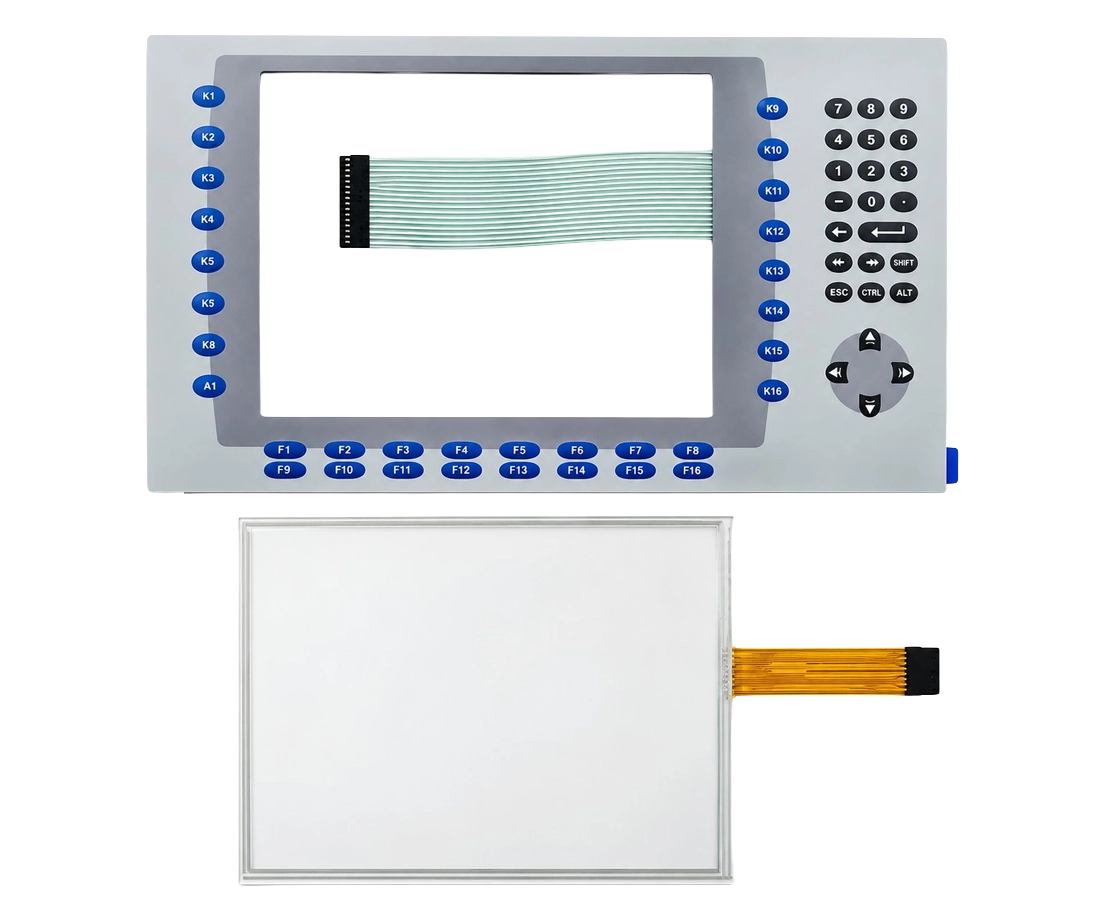
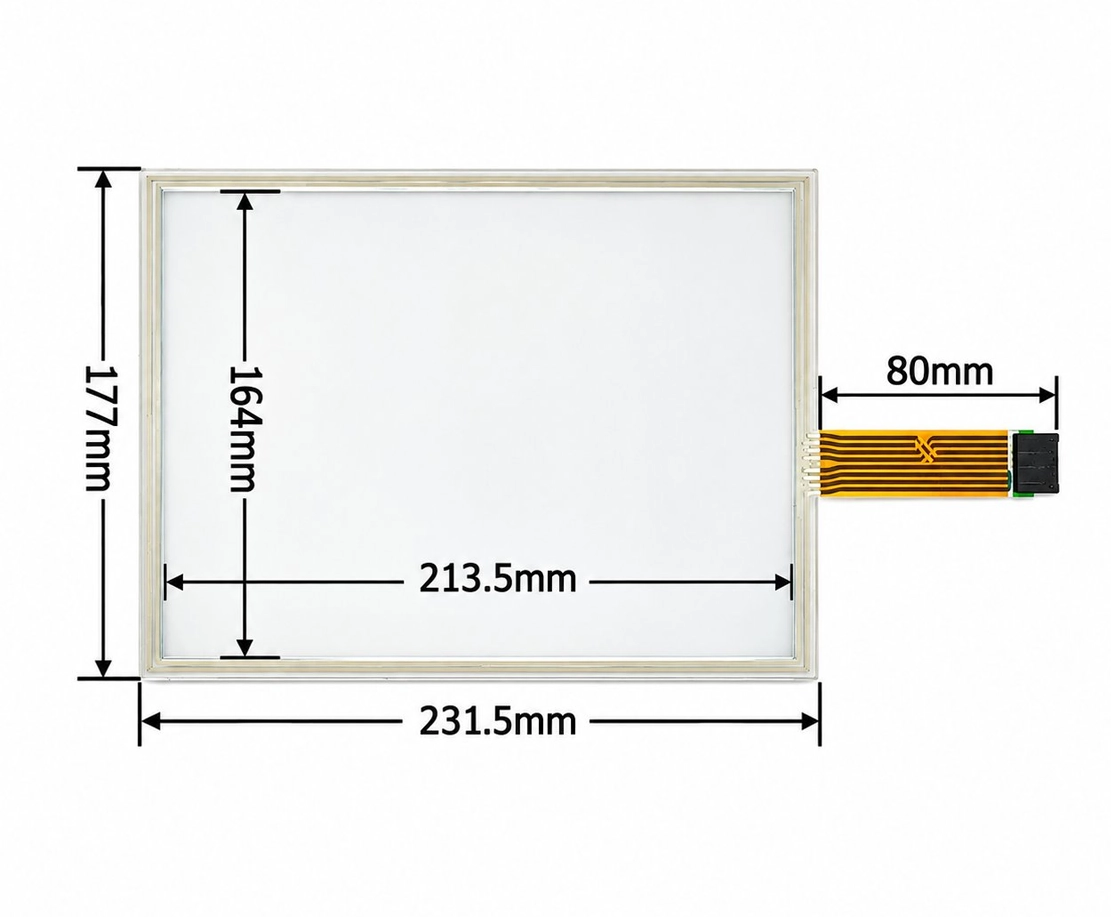
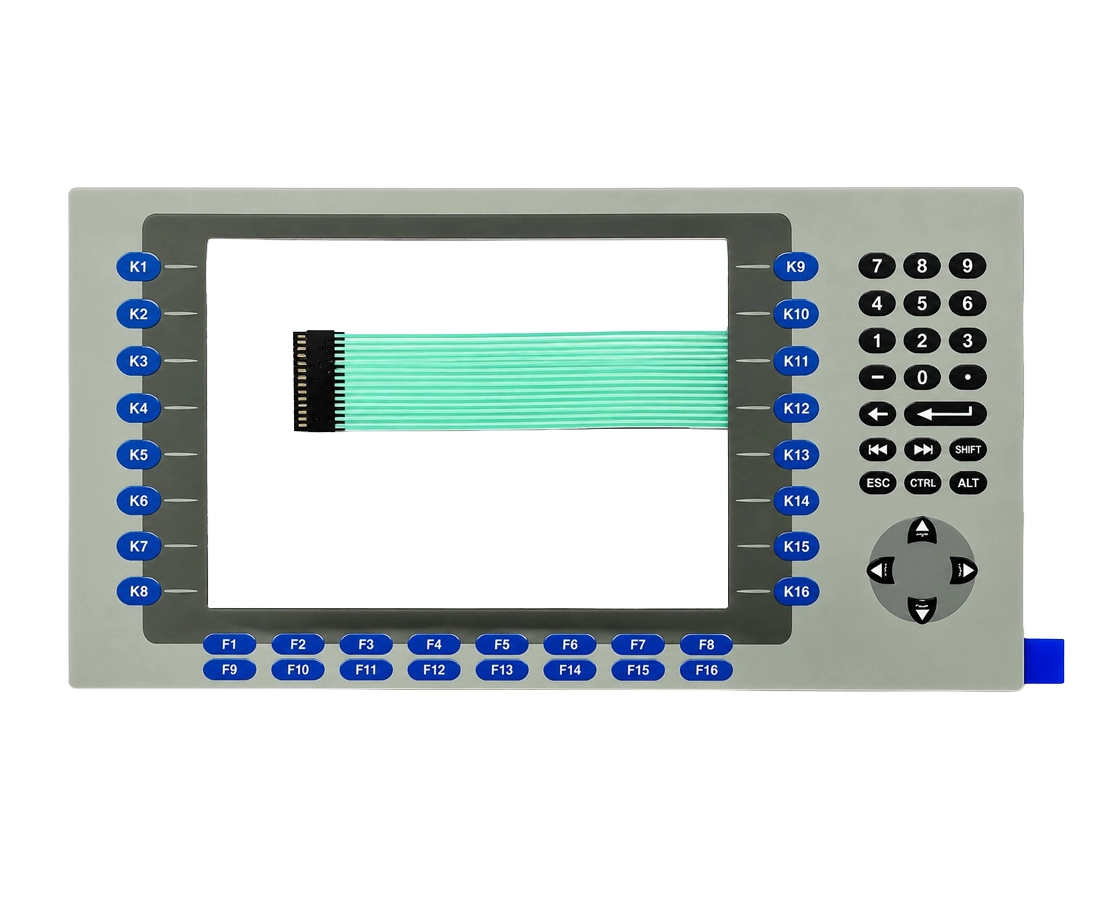
The Monitech MF1000PKB is an aftermarket touchscreen and keypad replacement designed for the Allen-Bradley PanelView Plus 1000, part number 2711P-RDB10C. The product listing identifies a replacement touchscreen and keypad assembly, compatible ribbon and connector cables, and an installation guide. Before ordering, we recommend confirming whether your application requires the touchscreen and keypad components or a complete LCD display assembly. For assistance verifying package contents, please contact Monitech.
Which Allen-Bradley PanelView Plus 1000 models are compatible with the MF1000PKB?
The MF1000PKB touchscreen and keypad replacement is designed for Allen-Bradley PanelView Plus 1000 terminals using the 2711P-RDB10C display module. To verify compatibility, check the catalog or part number on your existing display module before purchasing. Not all PanelView 1000, PanelView Plus, or similarly sized Allen-Bradley terminals use interchangeable components. If your part number differs from 2711P-RDB10C, please contact our technical support team to identify the correct replacement.
Can the MF1000PKB fix an unresponsive or damaged PanelView Plus 1000 touchscreen and keypad?
Yes, the MF1000PKB is intended to help restore touchscreen and keypad functionality when the original components are worn, damaged, or no longer responding correctly. Common symptoms include inaccurate touch input, intermittent touchscreen response, and keypad buttons that fail to register commands. However, similar symptoms can also result from damaged ribbon cables, loose connections, controller faults, or other electronic problems. Before replacing the assembly, inspect the existing components and connections to help determine whether the touchscreen or keypad is the source of the problem.
Can I install the 2711P-RDB10C touchscreen and keypad replacement myself?
Yes. The PanelView Plus 1000 MF1000PKB is designed for installation by qualified maintenance personnel, industrial technicians, or professionals familiar with HMI repairs. Monitech provides installation guidance to assist with replacing the existing touchscreen and keypad components. Before beginning, disconnect power, follow appropriate lockout/tagout procedures, and take precautions against electrostatic discharge. Carefully inspect ribbon cables and connectors during installation to prevent damage. If you need additional guidance, Monitech technical support can assist.
Does replacing the PanelView Plus 1000 touchscreen and keypad require PLC reprogramming or HMI software changes?
No PLC or HMI application reprogramming is normally required when replacing only the touchscreen and keypad on a compatible PanelView Plus 1000 2711P-RDB10C display module. The replacement restores the operator input interface while the existing HMI controller and application remain in place. However, if other components are replaced or the terminal has additional faults, further configuration or troubleshooting may be necessary. After installation, verify touchscreen accuracy, keypad operation, and normal communication with the connected equipment before returning the machine to service.
What is the difference between the MF1000PKB touchscreen and keypad replacement and a complete PanelView Plus 1000 HMI replacement?
The Monitech MF1000PKB is intended to address touchscreen and keypad problems on compatible 2711P-RDB10C PanelView Plus 1000 equipment. A complete HMI terminal replacement involves replacing additional hardware, potentially including the controller, display electronics, communication interfaces, and other internal components. If your existing terminal still powers on, displays information correctly, and communicates with the PLC, replacing faulty input components may be a more economical solution. However, if the HMI has a blank screen, controller failure, or communication problems, additional diagnosis may be required. Confirm the exact replacement assembly supplied with the MF1000PKB before ordering.
What should I check if my PanelView Plus 1000 touchscreen or keypad still does not work after replacement?
If your PanelView Plus 1000 2711P-RDB10C touchscreen or keypad remains unresponsive after installing the MF1000PKB, first disconnect power and verify that all ribbon cables and connectors are correctly seated and undamaged. Confirm that the replacement matches the original display module and check for visible damage to the interface connections. After safely restoring power, follow the manufacturer's recommended touchscreen testing or calibration procedures, where applicable. If the problem persists, the issue may involve the controller, internal electronics, or another component rather than the touchscreen itself. For further troubleshooting, contact Monitech with your original part number and a description of the symptoms.
Is the Monitech MF1000PKB an original Allen-Bradley part or an aftermarket replacement?
The MF1000PKB is an aftermarket replacement supplied by Monitech for compatible Allen-Bradley PanelView Plus 1000 equipment using part number 2711P-RDB10C. It provides an alternative for maintaining existing industrial HMI systems without necessarily purchasing a complete replacement terminal. Monitech specializes in industrial display replacement products, including touchscreens, keypads, LCD panels, and upgrade kits. The MF1000PKB is a Monitech replacement product and should not be confused with a new original-equipment part manufactured by Rockwell Automation or Allen-Bradley.
What warranty, return policy, and shipping options are available for the MF1000PKB?
The PanelView Plus 1000 MF1000PKB is offered with Monitech's standard product warranty. Coverage conditions and exclusions are explained in the Terms of Warranty. Returns are accepted subject to Monitech's return policy, which may include a 10% restocking fee. Shipping availability, delivery estimates, and applicable charges depend on the destination and selected shipping service. For current stock availability, shipping arrangements within the United States or Canada, international orders, or return authorization, please contact Monitech before ordering.
How can I confirm that the MF1000PKB is the correct replacement before ordering?
To ensure you purchase the correct PanelView Plus 1000 touchscreen and keypad replacement, locate the original display module's part number and confirm that it matches 2711P-RDB10C. Check whether the issue affects the touchscreen, physical keypad, LCD image, or another part of the terminal. This helps determine whether the MF1000PKB is suitable or whether a different replacement component is required. If you are uncertain, send Monitech your existing HMI model number, display module part number, and a photograph of the damaged component. Our team can help review compatibility and identify an appropriate replacement. Contact Monitech Technical Support for assistance before purchasing.










Guest –
Just replaced my old Panelview Plus 1000 screen with the 2711P-RDB10C. Installation was a breeze and it works like a charm! Really impressed with the quality and responsiveness. Highly recommend!
Guest –
I recently replaced my Allen-Bradley Panelview Plus 1000’s touchscreen with the 2711P-RDB10C model. Super durable and responsive! Installation was a breeze—hardly any downtime. Highly recommend for an upgrade!
Guest –
Absolutely love the Panelview Plus 1000 replacement touchscreen and keypad! It was so easy to install and works perfectly—just like the original. The durable build quality is truly impressive.
Guest –
Absolutely love the Panelview Plus 1000 replacement kit! It was a breeze to install and worked perfectly, restoring my machine’s responsiveness. Truly a durable, high-quality fix! Highly recommend.
Guest –
Upgraded my Panelview Plus 1000 with the 2711P-RDB10C from Monitech. Installation was a breeze, and it’s working like new! Really appreciate the expert support and reliable warranty.
Guest –
Bought the Panelview Plus 1000 replacement from Monitech. Truly a wise choice! Super smooth installation, plus the touchscreen and keypad work like new. Getting it directly from them gave me extra confidence with their solid warranty and support.
Guest –
Just swapped out my Panelview Plus 1000’s touchscreen with the 2711P-RDB10C from Monitech. The responsive touch and easy install were spot on! Buying direct also gave me a solid warranty and great support.
Guest –
I purchased the replacement Panelview Plus 1000 touchscreen and keypad directly from Monitech. Installation was a breeze, and the reliable warranty plus expert support ensured a hassle-free experience. It’s working perfectly without any issues!
Guest –
The Panelview Plus 1000 replacement touchscreen and keypad from Monitech are spot on. Buying directly ensured a perfect fit, came with a solid warranty, and their team provided great support. It’s working smoothly without any issues!
Guest –
Swapped out my old Panelview Plus 1000 with Monitech’s touchscreen and keypad. Install was a breeze and functions perfectly. Buying directly from Monitech ensures top-notch support and a solid warranty. Very satisfied!
Guest –
Replacing my Panelview’s screen and keypad with Monitech’s 2711P-RDB10C was smooth. Buying directly from them gave me peace of mind with a solid warranty and impressive support. Definitely a wise choice over other vendors!
Guest –
I replaced my Panelview Plus 1000’s screen and keypad with the 2711P-RDB10C from Monitech. Really impressed with the quality and installation ease. Buying directly from them provided great support and a solid warranty. Worth every penny!
Guest –
Just replaced my old Panelview Plus 1000 interface with the Monitech 2711P-RDB10C. Super easy to install and works perfectly. Buying directly from Monitech gave me assurance with their warranty and great customer support. Definitely worth it!
Guest –
I got the Panelview Plus 1000 replacement from Monitech. The fit is perfect, and the touchscreen feels like new again. Buying direct gave me extra confidence with their warranty and expert support. Super satisfied!