






Promo ends in
US$ 399.00
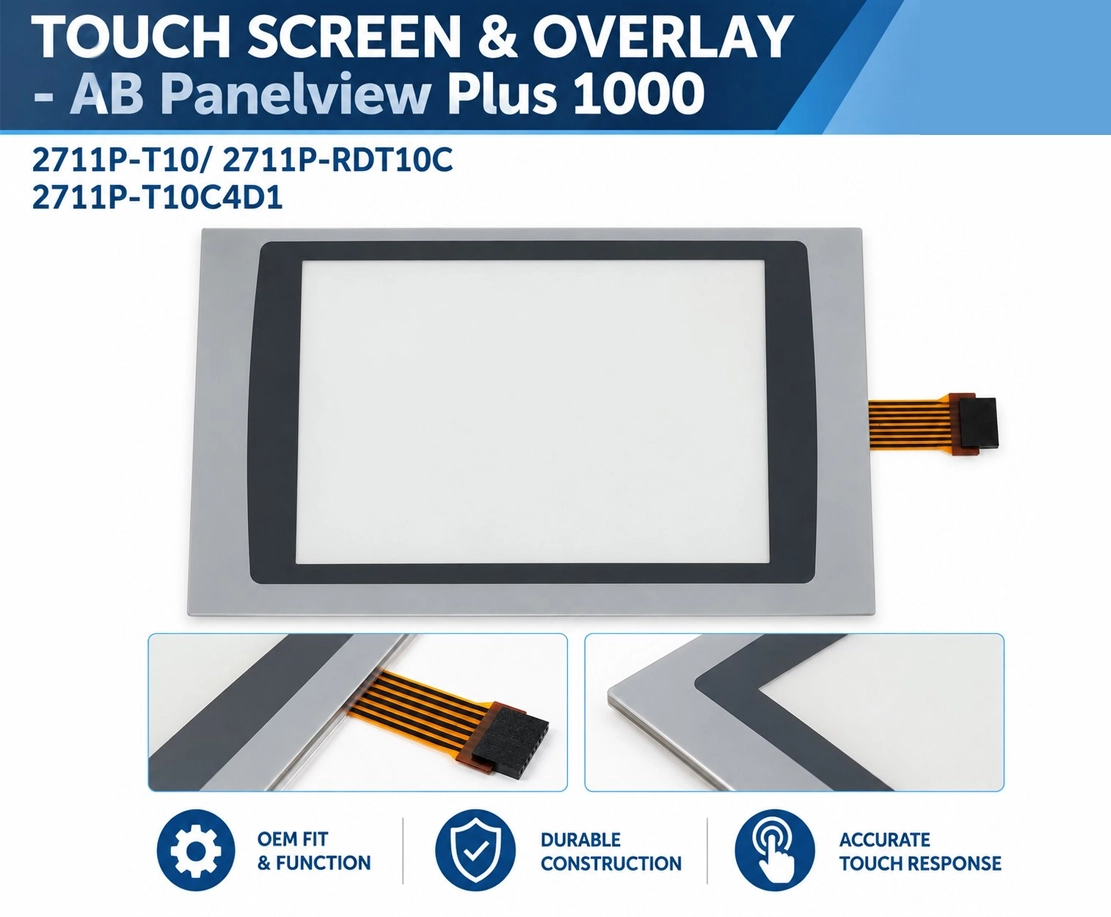
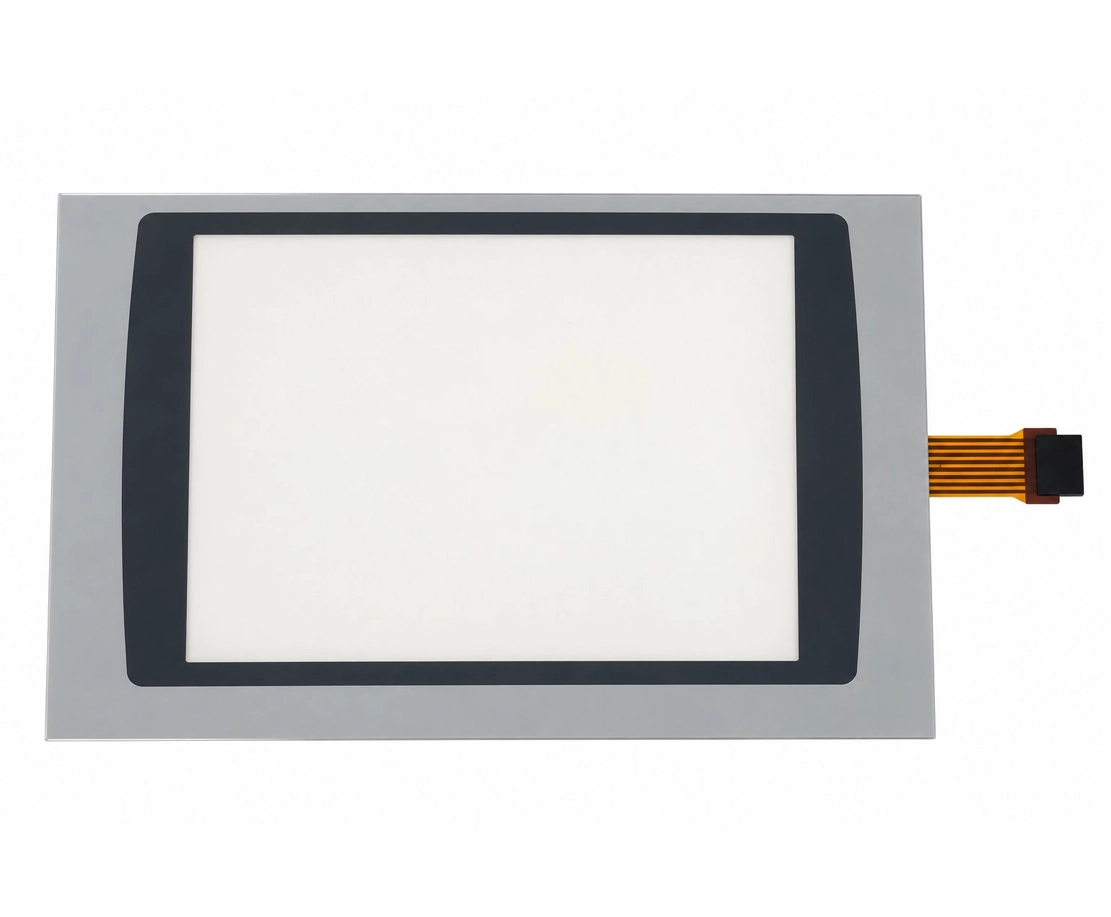
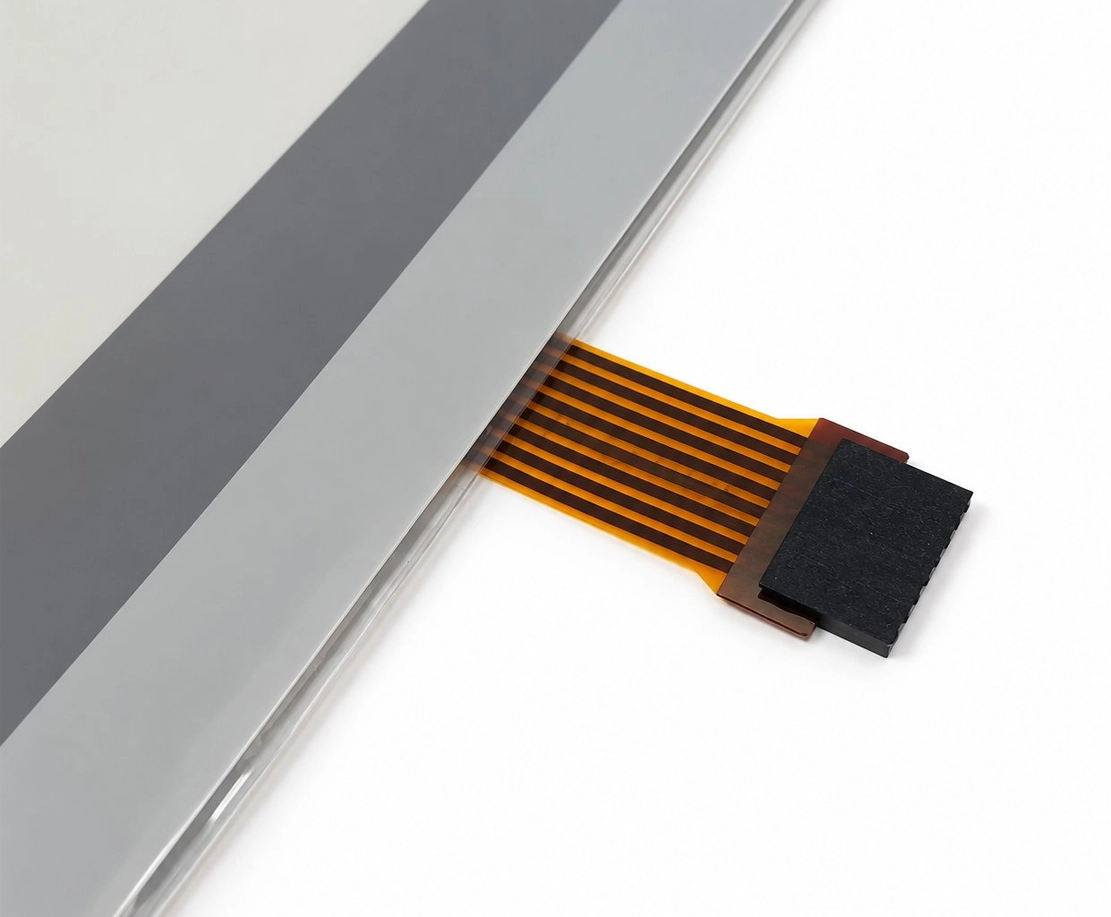
Restore the touchscreen functionality of your industrial HMI with the Monitech MF1000PT PanelView Plus 1000 Touchscreen Replacement with Overlay. Designed for compatible Allen-Bradley PanelView Plus 1000 terminals, this replacement touchscreen and overlay assembly provides a practical solution for replacing worn, damaged, or unresponsive touchscreen components without replacing the entire operator terminal.
The MF1000PT touchscreen replacement is intended for Allen-Bradley PanelView Plus 1000 applications, including 2711P-T10, 2711P-RDT10C, and 2711P-T10C4D1 models. It helps maintenance technicians and equipment operators restore touch-based interaction with their existing industrial control systems. Verify your terminal’s model and existing touchscreen configuration before ordering.
| Product Information | Details |
|---|---|
| Product Model | MF1000PT PanelView Plus 1000 Touchscreen Replacement with Overlay |
| Monitech Part Number / SKU | MF1000PT |
| Replacement Type | Replacement Touchscreen and Overlay |
| Equipment Manufacturer | Allen-Bradley / Rockwell Automation |
| Compatible HMI Series | Allen-Bradley PanelView Plus 1000 |
| Compatible Model / Reference Numbers |
Note: Confirm compatibility with the existing touchscreen and terminal configuration before purchasing. |
| Features and Benefits |
|
| Application | Touchscreen and overlay replacement for compatible Allen-Bradley PanelView Plus 1000 human-machine interfaces (HMIs) used in industrial automation, machinery operation, process monitoring, and equipment control. |
| Common Replacement Reasons |
Note: Confirm that the problem originates from the touchscreen assembly before replacing the component. |
| What’s Included |
|
| Installation Considerations | Intended for replacement of the existing touchscreen and overlay assembly. Verify model compatibility, physical fit, and connections before installation. Follow appropriate equipment servicing and electrical safety procedures. |
| Need Help? | Not sure whether the MF1000PT is compatible with your PanelView Plus 1000 terminal? Contact Us for assistance in identifying the correct replacement part. |
Share:

The PanelView Plus 1000 touchscreen was straightforward to install, fitting perfectly without hassle. Buying directly from Monitech ensured that I got a genuine part, complete with a solid warranty and access to expert support. It's comforting
I bought the 2711P-T10 / 2711P-RDT10C touchscreen from Monitech directly. Peace of mind with their solid warranty and supportive customer care really stood out. It feels good knowing you're
Swapping out the touchscreen with the PanelView Plus 1000 was a breeze. Loved the clear instructions, and the included guides and videos were a great help. It's been working flawlessly since the install—feels
I ordered the PanelView Plus 1000 touchscreen from Monitech and the peace of mind from dealing directly with the manufacturer is unmatched. The warranty and expert support are reassuring, making my purchase stress-free and satisfactory.
I recently upgraded to the PanelView Plus 1000 from Monitech and it's been a smooth experience. Buying directly from them offered not just a reliable warranty but such supportive customer service. Definitely a smart choice for lasting peace
Promo ends in
US$ 399.00
Restore the touchscreen functionality of your industrial HMI with the Monitech MF1000PT PanelView Plus 1000 Touchscreen Replacement with Overlay. Designed for compatible Allen-Bradley PanelView Plus 1000 terminals, this replacement touchscreen and overlay assembly provides a practical solution for replacing worn, damaged, or unresponsive touchscreen components without replacing the entire operator terminal.
The MF1000PT touchscreen replacement is intended for Allen-Bradley PanelView Plus 1000 applications, including 2711P-T10, 2711P-RDT10C, and 2711P-T10C4D1 models. It helps maintenance technicians and equipment operators restore touch-based interaction with their existing industrial control systems. Verify your terminal’s model and existing touchscreen configuration before ordering.
| Product Information | Details |
|---|---|
| Product Model | MF1000PT PanelView Plus 1000 Touchscreen Replacement with Overlay |
| Monitech Part Number / SKU | MF1000PT |
| Replacement Type | Replacement Touchscreen and Overlay |
| Equipment Manufacturer | Allen-Bradley / Rockwell Automation |
| Compatible HMI Series | Allen-Bradley PanelView Plus 1000 |
| Compatible Model / Reference Numbers |
Note: Confirm compatibility with the existing touchscreen and terminal configuration before purchasing. |
| Features and Benefits |
|
| Application | Touchscreen and overlay replacement for compatible Allen-Bradley PanelView Plus 1000 human-machine interfaces (HMIs) used in industrial automation, machinery operation, process monitoring, and equipment control. |
| Common Replacement Reasons |
Note: Confirm that the problem originates from the touchscreen assembly before replacing the component. |
| What’s Included |
|
| Installation Considerations | Intended for replacement of the existing touchscreen and overlay assembly. Verify model compatibility, physical fit, and connections before installation. Follow appropriate equipment servicing and electrical safety procedures. |
| Need Help? | Not sure whether the MF1000PT is compatible with your PanelView Plus 1000 terminal? Contact Us for assistance in identifying the correct replacement part. |
Interested in Net 30 Payment Terms or have questions in mind? Contact us for further details:
|
|---|
Restore the touch functionality of your industrial HMI with the Monitech MF1000PT PanelView Plus 1000 Touchscreen Replacement with Overlay. Designed for compatible Allen-Bradley PanelView Plus 1000 terminals, this 10-inch replacement touchscreen includes a color overlay, providing a practical solution for worn, damaged, cracked, or unresponsive touchscreen components.
The MF1000PT touchscreen replacement is designed for Allen-Bradley 2711P-T10, 2711P-RDT10C, and 2711P-T10C4D1 models. Whether you’re maintaining existing industrial equipment or addressing touchscreen-related issues, this replacement helps restore operator interaction with your HMI without requiring the purchase of an entirely new terminal, provided the remaining components are functioning properly.
Why Choose the MF1000PT Touchscreen Replacement?
Before ordering, verify your PanelView Plus 1000 model number and existing touchscreen configuration to confirm compatibility. If you need assistance selecting the correct replacement, Contact Monitech for product information and support.
WATCH OUR INSTALLATION VIDEO
| Product Description | 2711P-T10 / 2711P-RDT10C Panelview Plus 1000 Touchscreen and Overlay |
|---|---|
| Condition | New: A brand-new, unused, unopened, undamaged item in its original packaging (where packaging is applicable). |
| Brand | Allen Bradley |
| SKU | MF1000PT |
| Compatibility | Allen Bradley 2711P-T10/ 2711P-RDT10C Panelview 1000 Plus |
| Model | 2711P-T10 / 2711P-RDT10C |
| Controller Platform | 2711P-T10 / 2711P-RDT10C |
| Accessories | All of our products come with an installation guide and a cable kit designed for your machine. Installation is straightforward, with no rewiring or reprogramming required. |
| Type | Touchscreen |
| UPC | Does Not Apply |
| EAN | Does Not Apply |
| Warranty | Read our warranty details for our products: TERMS OF WARRANTY |
| Return | Returns are accepted. Our standard return policy includes a 10% restocking fee. However, please contact us for more information. |
| Support | Click here to make a request for customer service. |
The Monitech MF1000PT is a replacement touchscreen and color overlay designed for compatible Allen-Bradley PanelView Plus 1000 HMI terminals. It is intended to replace worn, cracked, damaged, or unresponsive touchscreen components while retaining the existing operator terminal. The product description also lists an installation guide and cable kit. Please contact Monitech to confirm the complete package contents and whether additional components are needed for your specific terminal.
The MF1000PT touchscreen replacement with overlay is listed for the following Allen-Bradley PanelView Plus 1000 model and reference numbers:
Because touchscreen assemblies and terminal configurations can vary, verify the complete part number and existing touchscreen assembly before purchasing. For assistance identifying the correct replacement, contact our support team with your terminal's model information.
Yes, the MF1000PT PanelView Plus 1000 touchscreen replacement is intended to address problems caused by a damaged or failing touchscreen assembly. Common symptoms that may indicate touchscreen replacement is necessary include:
However, these symptoms can also result from other HMI hardware or configuration issues. Before ordering, verify that the touchscreen assembly is responsible for the problem. Replacing the touchscreen will not resolve unrelated display, power supply, or controller faults.
The MF1000PT is specifically a touchscreen and overlay replacement for compatible Allen-Bradley PanelView Plus 1000 terminals. It is not described as an LCD display replacement.
The touchscreen detects operator input, while the LCD produces the visual display. If your PanelView Plus 1000 displays images correctly but fails to recognize touch commands, the touchscreen assembly may be the component requiring replacement. If the screen is blank, dim, distorted, or displaying incorrect colors, the LCD or another internal component may require diagnosis instead.
For assistance distinguishing between touchscreen and LCD problems, contact Monitech before purchasing.
The MF1000PT replacement touchscreen and overlay is intended for installation in compatible PanelView Plus 1000 terminals. The product information describes straightforward installation without rewiring or reprogramming, although the actual procedure depends on the terminal's condition and configuration.
Installation involves accessing the existing touchscreen assembly, so it is recommended that the work be performed by a qualified maintenance technician familiar with industrial HMI equipment. Always disconnect the equipment from power, follow applicable lockout/tagout procedures, and observe electrostatic discharge precautions before servicing the terminal.
Watch the MF1000PT installation video:
PanelView Plus 1000 Touchscreen Installation Video.
Replacing the MF1000PT touchscreen and overlay is a hardware maintenance procedure and does not, by itself, require changing the HMI application or controller program.
However, proper handling and installation are important. The touchscreen replacement does not involve intentionally modifying stored applications, but technicians should still follow established maintenance procedures and maintain a backup of the HMI application and configuration whenever possible.
If your PanelView Plus 1000 has other hardware or software issues, those problems may require separate troubleshooting.
The best replacement option depends on which part of your Allen-Bradley PanelView Plus 1000 has failed.
If the terminal powers on, displays its interface correctly, and continues communicating with the machine but does not consistently respond to touch, the touchscreen assembly may be the problem. In this situation, replacing the touchscreen and overlay with a compatible MF1000PT may be a practical alternative to replacing the complete terminal.
However, if the terminal has power failures, display damage, communication errors, or other internal faults, additional troubleshooting may be required. Have a qualified technician identify the failed component before deciding which part to replace.
Yes. The Monitech MF1000PT touchscreen replacement with overlay provides a replacement option for compatible Allen-Bradley PanelView Plus 1000 terminals, helping maintenance teams continue using existing industrial HMI equipment when the touchscreen has become damaged or unreliable.
Replacing the touchscreen rather than the complete terminal may reduce unnecessary equipment replacement and help preserve an existing machine-control installation. This can be particularly useful for facilities maintaining older industrial automation systems.
Compatibility must still be verified against the exact terminal model and touchscreen configuration. The MF1000PT is a replacement component, not an upgrade to the terminal's processor, software, or communication capabilities.
The Monitech MF1000PT PanelView Plus 1000 touchscreen replacement is subject to Monitech's applicable product warranty terms.
Warranty eligibility, coverage, limitations, and claim procedures are described in the company's official warranty policy. Before purchasing or requesting warranty assistance, review the Monitech Terms of Warranty.
If you experience an issue with your replacement touchscreen, contact Monitech customer support with your order details, product SKU, and a description of the problem.
If your MF1000PT PanelView Plus 1000 replacement touchscreen does not fit correctly or fails to respond after installation, stop and verify the following:
Avoid forcing connectors or modifying the replacement assembly. If the issue persists, contact Monitech support with your terminal model, MF1000PT part number, and a description of the symptoms.
If you need to return the product, our standard return policy includes a 10% restocking fee. Contact customer support to confirm current return eligibility, applicable fees, and the correct return procedure before sending the item back.
We are one message away or call us from Monday to Friday.
Guest –
I purchased the PanelView Plus 1000 touchscreen from Monitech and couldn’t be happier. The installation was straightforward, and it works flawlessly with my system. Plus, buying directly from the manufacturer gave me confidence
Guest –
Purchased the PanelView Plus 1000 touchscreen from Monitech and the experience was seamless. The direct buy provided reliable warranty and expert support which made the entire process worry-free. Definitely a smart choice!
Guest –
I opted for the direct purchase from Monitech for my PanelView Plus 1000 repair. It assured me of a dependable warranty and expert support, seamless compared to other vendors. Definitely worth it for peace of mind.
Guest –
I recently swapped out my old touchscreen with the PanelView Plus 1000 from Monitech. It was a breeze to install and works flawlessly. Buying direct from Monitech also meant getting great support and a trusty warranty
Guest –
I recently upgraded to the PanelView Plus 1000 touchscreen from Monitech and am really happy. The installation was smooth, and knowing it’s backed by a great warranty and expert support gives me confidence in my purchase.
Guest –
I recently upgraded to the PanelView Plus 1000 from Monitech and it’s been a smooth experience. Buying directly from them offered not just a reliable warranty but such supportive customer service. Definitely a smart choice for lasting peace
Guest –
I ordered the PanelView Plus 1000 touchscreen from Monitech and the peace of mind from dealing directly with the manufacturer is unmatched. The warranty and expert support are reassuring, making my purchase stress-free and satisfactory.
Guest –
Swapping out the touchscreen with the PanelView Plus 1000 was a breeze. Loved the clear instructions, and the included guides and videos were a great help. It’s been working flawlessly since the install—feels
Guest –
I bought the 2711P-T10 / 2711P-RDT10C touchscreen from Monitech directly. Peace of mind with their solid warranty and supportive customer care really stood out. It feels good knowing you’re
Guest –
The PanelView Plus 1000 touchscreen was straightforward to install, fitting perfectly without hassle. Buying directly from Monitech ensured that I got a genuine part, complete with a solid warranty and access to expert support. It’s comforting