






News and Updates
TL;DR
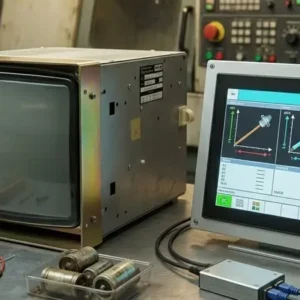
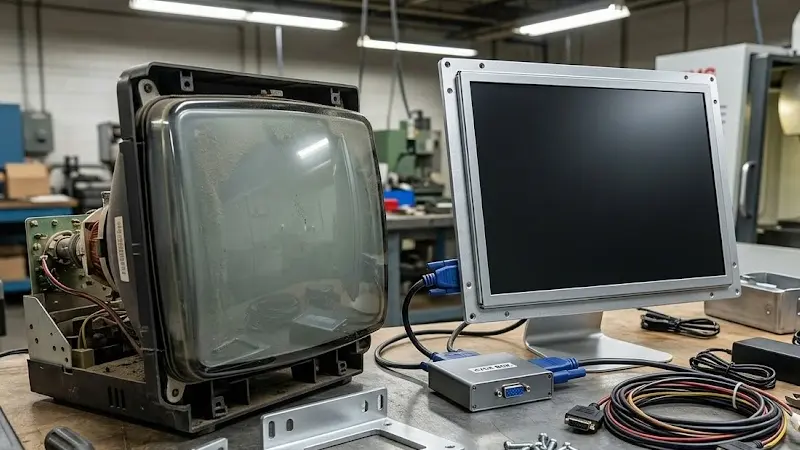
A CRT to LCD conversion kit replaces an aging industrial CRT monitor with a modern flat-panel LCD. Most kits include the LCD panel, mounting hardware, and – when the machine outputs a CRT-format video signal – a signal converter called an XVGA box. Choosing between a direct replacement and a universal kit, and knowing whether your machine needs a signal converter, are the two decisions that determine whether the install goes smoothly or not.
You can replace an industrial CRT with a working LCD in under two hours. Most maintenance teams do it without outside help. The trick is ordering the right kit before you start – not figuring it out on the shop floor.
If you’ve got a CRT on a Fanuc CNC, an Allen Bradley PanelView, or a ProtoTrak milling machine, the CRT is the weak point. Not the machine. CRT components haven’t been manufactured since around 2007. Whatever’s in your cabinet is aging. It will fail. The only question is whether you replace it now, on your schedule, or wait until the machine goes dark.
A conversion kit isn’t just an LCD panel in a box. A good kit is built for your specific machine – and it ships with everything you need to get from CRT to working LCD without hunting for separate parts.
Here’s what comes in a full kit:
Some kits arrive as a pre-wired assembly that drops straight into the CRT space. Others ship as component sets that need basic wiring to connect. Know which type you’re ordering before you buy. One requires a screwdriver. The other requires some electrical familiarity.
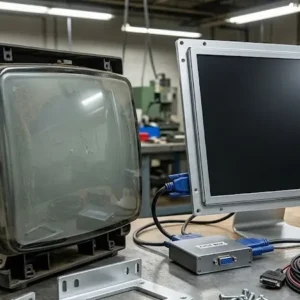
An XVGA box – also called an SVGA converter or signal converter – is a small adapter that sits between the machine’s controller and the new LCD. Its job is to translate the video signal.
Here’s the problem it solves. Older industrial machines were designed around CRT monitors. The controller inside those machines outputs video in a CRT-compatible format – specific sync signals, refresh rates, and voltage levels that CRT tubes were built to handle. Modern LCD panels expect something different. Without translation, the LCD shows nothing, or shows a scrambled image you can’t use.
The XVGA box sits between the controller output and the LCD input. It reads the incoming CRT-format signal and converts it in real time into something the LCD can display correctly. You’re not touching the machine’s controller. The conversion happens transparently in the adapter.
Not every kit needs one. Whether yours does depends on the specific machine and controller – which is what the next section covers.
This is the question that trips people up most often. The answer is actually simple once you understand the logic.
You need a signal converter when the machine’s controller outputs a CRT-specific signal format a standard LCD can’t read. This is most common on older CNC controls – Fanuc 6M/T, Fanuc 10/11, Fanuc 15, and similar vintage controls. These machines were designed for CRT output. Their signal format needs translation.
You don’t need a signal converter when the replacement LCD is specifically engineered to accept the signal that machine produces – either because the kit was built for that exact model, or because the controller already outputs a signal that an LCD can read directly. Some controllers do this even if they’re still driving a CRT display.
The practical test before ordering: Check whether the kit listing for your machine includes a signal converter. If it does, you need one and it’s already in the box. If the listing calls it a direct plug-in replacement with no converter mentioned, the LCD is designed to take the signal as-is. If you’re not sure, call before you order. Getting this wrong is the most common reason a conversion attempt fails.
Monitech’s machine-specific kits include the signal converter when the machine requires one. You don’t need to source the XVGA box separately if you order a kit built for your machine.
These are not the same thing. They serve different situations – and the wrong choice costs you time on the shop floor.
Direct replacement kit: Built for one machine model or control family. The LCD size, bracket geometry, connector type, and signal handling are all engineered for that machine. You install it in the same space the CRT occupied. No bracket modification, no wiring research, no guessing about signal compatibility. It works, or we’ll sort it out. The tradeoff: it only works for that one machine type.
Universal conversion kit: Built to work across a range of machines by including adjustable brackets, a converter that handles multiple input formats, and configurable connectors. More flexibility, especially if you’re servicing several different machine types. The tradeoff is setup time – adjusting the bracket, configuring the converter, verifying connector compatibility. More decisions to make. More places for something to go sideways if you’re not familiar with the machine’s wiring.
If you’re replacing a single display on a known machine, order the direct kit. The fit is confirmed, the install is faster, and there’s nothing to configure. Universal kits make more sense for service shops and integrators working across many machine types.
Fanuc CNC controls use CRTs across a wide range of series – 6M, 6T, 10, 11, 15, 16, 18, 21, and the 0 series. The A61L part number on the CRT label is what identifies the specific display you’re replacing.
Fanuc CRTs almost always require a signal converter. The A61L-0001 series outputs a CRT-format sync signal that modern LCDs can’t accept without conversion. Kits for Fanuc machines include the XVGA box – you shouldn’t need to source it separately.
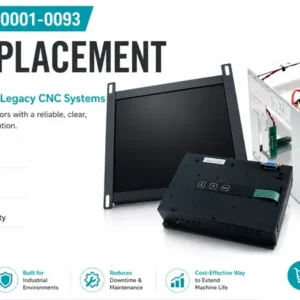
Models covered: A61L-0001-0074 (Fanuc 6M/T), A61L-0001-0086 (Fanuc 10/11), A61L-0001-0093 (Fanuc 15), A61L-0001-0094 and A61L-0001-0096 (Fanuc 16/18/21). The Fanuc CNC controller stays untouched. Only the display changes.
Find the right kit for your Fanuc A61L series CRT.
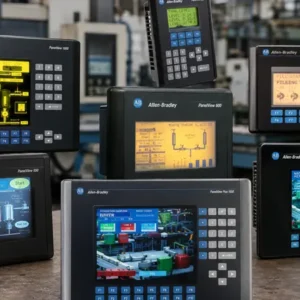
Allen Bradley PanelView terminals from the 550, 600, and 1000 series – part numbers 2711-NL1, NL2, NL3, NL6 (PV550); 2711-B6xx, K6xx (PV600); 2711-T10xx (PV1000) – may need either a direct LCD replacement or just a backlight replacement, depending on what’s actually failed.
PanelView terminals typically don’t need a signal converter. The PanelView’s internal hardware handles the translation. Replacements for most models are drop-in: same physical format, compatible signal, direct connector match.
Find the right replacement for your Allen Bradley PanelView terminal.
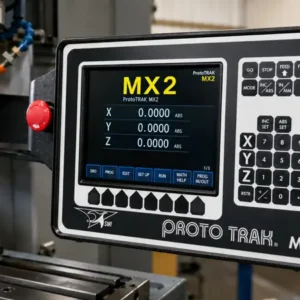
ProtoTrak controls – MX, MX2, MX3, AGE, AGE2, AGE3, SMX, KMX series – are common in small and mid-size machine shops. Monitech’s ProtoTrak LCD replacements are designed as direct drop-ins. No machine modification. No reprogramming the ProtoTrak controller. The replacement goes where the original display was, and the control works exactly as it did before.
Find the right LCD replacement for your ProtoTrak control.
This works for any industrial machine with a CRT display. Run through these steps before you order.
Go through this list before placing the order. Each item catches a type of mismatch before it becomes a returned shipment.
QDo I need to reprogram the machine after installing a new LCD?
No – in almost all cases. A CRT to LCD conversion kit replaces the display only. The machine’s CNC controller, PLC, or control program is not modified during installation. The ProtoTrak controller, Fanuc CNC, and PanelView terminal all keep running on the same software and configuration they had before. Reprogramming would only be required if you were replacing the controller itself – which is a completely separate operation.
QWill a CRT to LCD conversion affect my machine’s performance?
No. The display shows what the controller outputs – it doesn’t affect machine operation, precision, or speed. After conversion, the machine runs identically. What improves is display quality: a modern industrial LCD is brighter, sharper, and far more readable than an aging CRT. If the machine has calibration or parameter settings that reference display configuration, confirm those are unchanged after install – but for the vast majority of machines, this isn’t a factor.
QWhat’s the difference between a direct replacement and a conversion kit?
A direct replacement is an LCD engineered to fit one specific machine model – same physical size, same connectors, same signal compatibility. It installs without modification. A conversion kit is a broader term covering situations where the LCD can’t replace the CRT one-for-one without some additional hardware – mounting adapters, a signal converter, or both. Machine-specific kits for Fanuc, ProtoTrak, and similar machines are technically conversion kits. They include whatever components that specific machine requires to make the LCD work where the CRT was.
QWhat is an XVGA box and do I need one?
An XVGA box is a signal converter that translates the video output from an older machine’s controller into a format a modern LCD can display. CRT monitors accept signals that LCD panels don’t natively support – the sync timing, resolution, and voltage levels are different. Without the converter, the LCD shows nothing usable. Whether you need one depends on your controller. Older Fanuc CNC series (6M/T through 21 series) require an XVGA converter. Monitech’s machine-specific kits include the converter when the machine needs one – you shouldn’t need to source it separately if you order the kit listed for your machine.
If you know your CRT part number or control series, go straight to the relevant product page:
If the CRT label is unreadable, upload a photo and we’ll identify the compatible replacement for you.
If you’re replacing multiple units, or working with a machine not listed here, call Monitech directly at 519-725-2222. Monitech has been specializing in industrial LCD replacement since 2006 and serves maintenance teams and machine shops across North America.
NEED TO REPLACE YOUR DISPLAY?
We have a wide-range of industrial display replacement that fits on your industrial machine.