






News and Updates
TL;DR
CRT monitors stopped being manufactured globally around 2007, and the components needed to repair them have been effectively unavailable since around 2010. If your industrial machine still runs a CRT display, it isn’t a question of whether it will eventually need replacing – it’s a question of when. Industrial LCD replacement kits are the standard solution: same footprint, compatible signal, no machine reprogramming required.
Your machine is dimming. The image fades at the edges. It flickers when the shop gets warm. You’ve been watching it for months.
Here’s what nobody tells you upfront: the parts causing those symptoms stopped being manufactured over a decade ago. When this display fails completely – and it will – there is no factory-fresh replacement part on a shelf anywhere.
That’s the real situation with industrial CRT monitors in 2026. This post explains what’s happening inside a failing CRT, why parts are so hard to find, and what the replacement looks like – so you can make a plan before the display makes it for you.
CRT stands for Cathode Ray Tube – the older, bulky display technology that came standard on industrial machines before flat-panel LCD became viable. Major manufacturers wound down CRT production around 2007 as LCD became cost-competitive. By roughly 2010, most had also stopped making the repair components that kept CRTs running in the field.
It wasn’t a single event. Consumer electronics moved to flat panels first, killing the production volume that kept CRT component lines profitable. Industrial CRT production followed.
The result: every CRT still running today is operating on parts that are no longer being made. Parts that have been sitting in aging machines, accumulating hours, since before your last equipment purchase.
Industrial machines often outlast their displays by decades. A CNC mill from the mid-1990s can run another 20 years – the spindle, the servo drives, the controller – but the CRT that came with it was never designed to last that long.
OEM Status: CRT monitor production ended globally around 2007. By 2010, most manufacturers had also discontinued the repair components – flyback transformers, capacitor kits, and phosphor-coated tubes – needed to service units still in the field.
Knowing how CRTs fail helps you understand why repair is rarely the right long-term answer.
The CRT image is made by an electron beam striking a phosphor-coated screen inside the tube. Over thousands of hours, that coating degrades and stops producing a bright image. This is the gradual dimming you notice first – the display still works, but reading it under shop lighting gets harder.
Phosphor dimming is not repairable. The coating is bonded to the inside of the glass. Once it’s gone, the tube is spent.
The flyback transformer generates the high voltage that drives the electron beam – typically 15,000 to 30,000 volts. It runs continuously every time the display is on, cycling through heat and cooling every time the machine starts and stops.
Over time, the insulation breaks down, the windings crack, or the core develops hairline fractures. When it fails, the screen goes dark – sometimes with an audible pop. Replacement flyback transformers for industrial CRT models are hard to find, and the ones that exist were pulled from other dead machines, not made new.
CRT monitors contain multiple capacitors that store and regulate electrical charge throughout the power supply and deflection circuits. Capacitors have a finite service life. The electrolyte inside dries out or leaks from years of heat cycling. When one fails, the display may show distorted geometry, lose sync, or stop powering up altogether.
Capacitor kits for some models can still be sourced, and a skilled technician can re-cap a board and restore function for a while. But that repair addresses one failure mode while the phosphor and flyback transformer keep degrading on their own schedule. You’re buying time, not a solution.
An aging CRT is usually dealing with all three failure modes at once, just at different points on the same timeline. Fixing one does not reset the clock on the others. A capacitor swap that buys another year does nothing for the phosphor dimming that’s already underway.
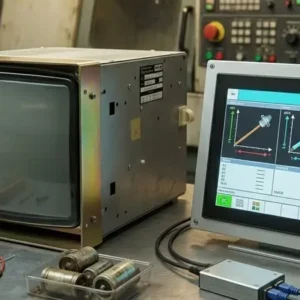
The standard replacement is an LCD – Liquid Crystal Display – a flat-panel screen that produces a sharper, brighter image using a fraction of the power a CRT draws.
For industrial machines, there are two approaches. Understanding the difference before you order matters.
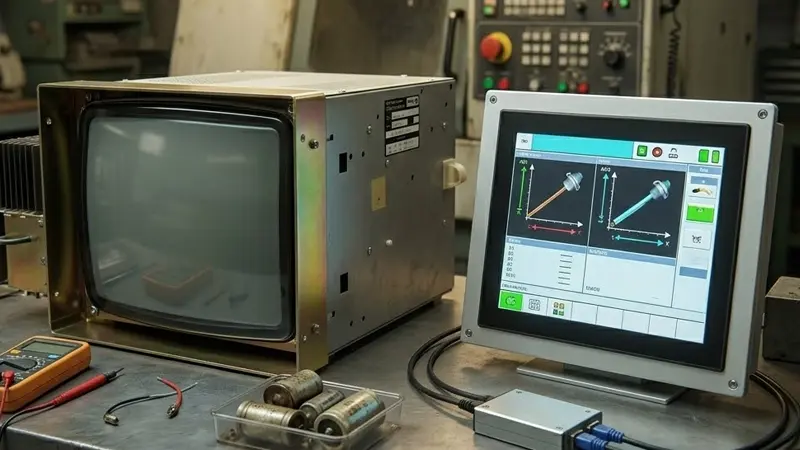
A direct replacement is sized and configured to fit exactly where the CRT sat. Same footprint. Same mounting points. Same electrical connections. You remove the CRT, slide in the LCD, and the machine works. No adapters. No signal conversion. No wiring changes.
Direct replacements are available for many machines where the controller outputs a signal format that a modern LCD can accept natively. If your machine uses a controller from the mid-2000s onward, this is often the simplest and lowest-cost path.
Some machines – particularly older CNC systems from the 1980s and 1990s – output video signals designed specifically for CRT technology. These machines won’t drive a modern LCD directly because the signal format doesn’t match.
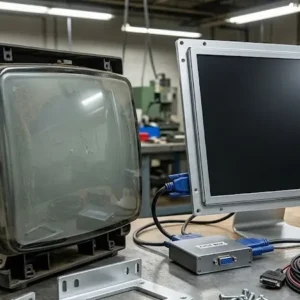
A retrofit kit solves this with two components: the LCD panel, plus a signal converter called an XVGA box. The XVGA converter sits between the machine’s controller and the new LCD, translating the CRT-format signal into something the LCD can display correctly. Without it, the LCD shows nothing or a distorted mess.
Most retrofit kits are built for specific machine models and include everything: the LCD panel, the signal converter, mounting hardware, and power connections. The machine’s controller is untouched – only the display and its signal path change.
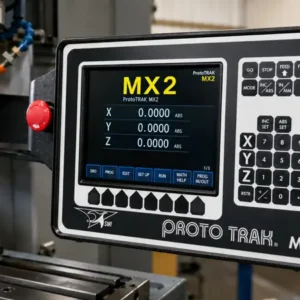
Fanuc CNC machines (A61L series), older ProtoTrak mills, and Haas VF series machining centers are common examples of machines that need retrofit kits rather than direct replacements. Monitech’s CRT-to-LCD replacement kits cover the major CNC and HMI brands across North American manufacturing.
| Specification | CRT Display | Industrial LCD Replacement |
|---|---|---|
| Brightness | 80-100 cd/m² (degrades over time) | 300-500 cd/m² (stable) |
| Lifespan | 10,000-20,000 hours typical; phosphor degrades sooner | 50,000+ hours (LED backlight) |
| Power draw | 60-120W typical | 15-35W typical |
| Replacement parts availability | Effectively unavailable – production ended ~2007 | In stock; manufactured to current industrial standards |
| Image quality | Susceptible to flicker, geometry distortion, color shift | Stable, consistent, no flicker |
| Heat output | High – CRTs generate significant heat | Low |
| ✓ Footprint | Deep; requires significant cabinet space behind the display | Thin; frees space inside the control enclosure |
Most CRT manufacturers stopped making spare components around 2010. Every CRT still running today is one failure away from being unrepairable with a factory-new part.
What’s left in the market is aging new-old-stock – parts distributors bought ahead of the phase-out – and components pulled from other dead units. That supply is finite. It shrinks every year.
The flyback transformer you source today came out of a machine that already failed. The capacitors in a repair kit have been on a shelf since the early 2010s.
Re-capping or swapping a flyback might buy you another year or two. But it does not touch the phosphor dimming, and it does not reset the service life on every other aging component in that display.
If your facility plans to run this machine for another five to ten years, a CRT repair is a bridge – a useful one sometimes – but not a destination. The new-old-stock supply of CRT repair parts shrinks every year and cannot be replenished.
QCan a CRT monitor be repaired?
Often, yes – but only temporarily. Capacitor replacements and flyback transformer swaps can bring a failed CRT back to life, but the parts are increasingly scarce and the repair does nothing for phosphor degradation or the other components aging on their own timeline. For a machine you plan to run another five or more years, most maintenance teams choose LCD replacement over repeated CRT repairs that keep coming due.
QWhat is the lifespan of an industrial LCD replacement?
LCD panels with LED backlights – the current standard for industrial LCD replacements – are rated at 50,000 hours or more at full brightness. On a standard two-shift schedule (roughly 16 hours a day), that’s over eight years before the backlight reaches half its original brightness. Industrial-grade panels are built for the temperature swings, vibration, and continuous-duty cycles that manufacturing environments demand. [VERIFY: Confirm rated lifespan specifications for specific Monitech LCD replacement panels]
QDo I need to reprogram my machine after replacing the display?
No – in virtually all cases. An LCD replacement swaps out the display hardware only. Your machine’s controller, software, programs, and communication to other equipment are completely unaffected. The CNC program on a Fanuc or ProtoTrak control has no idea what display is attached to it. The only exception would be a machine with display-specific calibration settings built into the controller – uncommon, and it would be noted in the product documentation.
QHow do I know which LCD replaces my CRT?
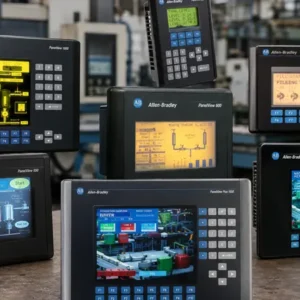
Start with the part number label on the back or side of the CRT itself. For Fanuc machines, look for the A61L-xxxx number on the control cabinet. For Allen Bradley PanelView terminals, the part number (2711-xxx) is on the front bezel and back panel. If the label is worn or missing, Monitech’s photo search tool can identify compatible replacements from a photo. You can also call 519-725-2222 with your machine make, model, and approximate year – the team can confirm the right fit before you order.
QAre there industrial machines where keeping the CRT is actually the right call?
Sometimes. If a machine is being decommissioned in the next 12-18 months, the math on replacement is harder to justify. And a CRT that shows no dimming or instability right now is not a fire you need to put out today. The honest answer: a stable, bright CRT is not urgent. A CRT that’s visibly dimming, has flickered, or has already been repaired once is on a clock. The only question is whether you replace it on your schedule or wait until the display decides for you.
If your CRT is dimming, flickering, or has already failed, the replacement path is well-established. LCD conversion kits exist for every major industrial CNC brand – Fanuc, ProtoTrak, Haas, Allen Bradley, Fagor, Okuma, and more – with direct replacements and retrofit kits depending on what your machine’s controller outputs.
Monitech has been specializing in industrial display replacement since 2006, serving maintenance teams and plant operations across North America.
Browse by brand or machine model to find the kit that fits – or upload a photo and let the tool do the matching.
Not sure which part you need? Call 519-725-2222 with your machine make, model, and the part number from the CRT label – the team will confirm compatibility before you order.
NEED TO REPLACE YOUR DISPLAY?
We have a wide-range of industrial display replacement that fits on your industrial machine.